Choisir le bon écran : Moniteur tactile industriel ou Panel PC
Dans le paysage en évolution rapide de l'automatisation industrielle, le choix de la bonne interface homme-machine (IHM) est essentiel pour l'efficacité opérationnelle. Que vous modernisiez une usine de transformation alimentaire ou que vous conceviez un nouvel entrepôt intelligent, vous serez inévitablement confronté à un dilemme : Dois-je utiliser un moniteur tactile industriel ou un Panel PC industriel ?
Bien qu'elles semblent identiques de prime abord, leurs architectures internes, leurs cas d'utilisation et leurs implications financières à long terme sont très différents. Ce guide propose une analyse approfondie de ces deux technologies afin de vous aider à faire un investissement éclairé.
La différence fondamentale : Architecture et logique
Qu'est-ce qu'un moniteur tactile industriel ?
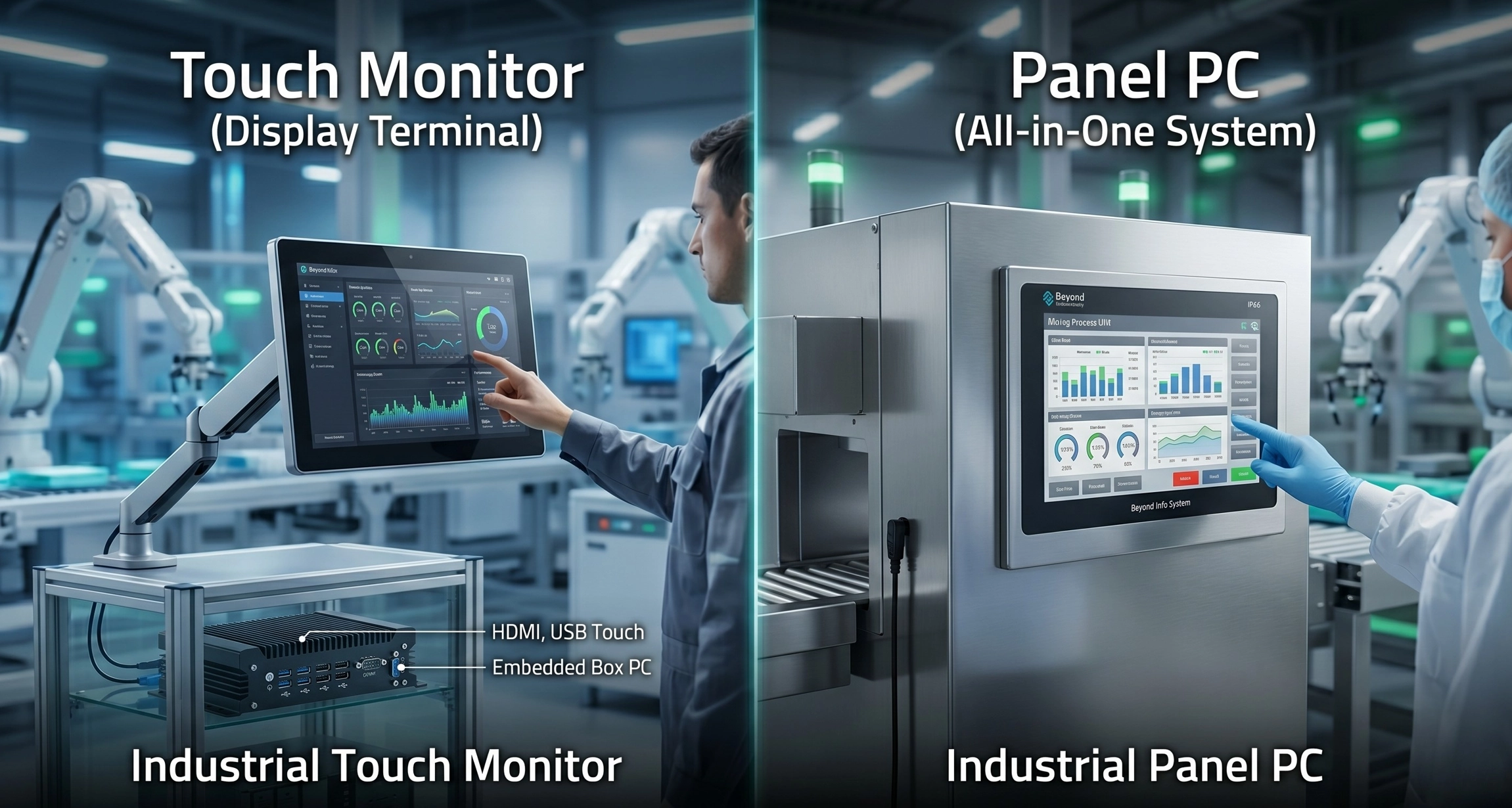
Un Moniteur tactile industriel est essentiellement un terminal d'affichage. Il s'agit d'un dispositif “passif” conçu pour recevoir des signaux vidéo (via VGA, HDMI, DP ou DVI) et transmettre des données tactiles (généralement via USB ou RS232) à un contrôleur.
Il ne dispose pas de son propre processeur, de sa propre mémoire vive ou de son propre espace de stockage. Il s'agit d'une version renforcée de votre moniteur de bureau, mais construit avec des composants de qualité industrielle pour résister aux vibrations, aux températures extrêmes et aux interférences électromagnétiques. Il doit être relié à un ordinateur séparé, tel qu'un Box PC embarqué ou un serveur situé dans une armoire de commande.
Qu'est-ce qu'un Panel PC industriel ?
Un Panel PC industriel est un Tout-en-un (AiO) système. Il intègre l'écran, l'interface tactile et l'ensemble du matériel informatique (carte mère, unité centrale, mémoire et stockage) dans un seul châssis.
Il s'agit d'un appareil “actif” et autonome. Une fois mis sous tension, il exécute son propre système d'exploitation (Windows, Linux ou Android) et des applications locales. C'est le cerveau et le visage de la machine combinés en une seule unité.
Tableau de comparaison du matériel
| Fonctionnalité | Moniteur tactile industriel | Panel PC industriel |
| Puissance de calcul | Aucun (nécessite un PC externe) | Interne (CPU/RAM/SSD intégrés) |
| Câblage | Élevée (alimentation + vidéo + Touch USB) | Faible (un seul câble d'alimentation) |
| Complexité du système | Système en deux parties (moniteur + PC) | Unité unique intégrée |
| Déploiement | Emplacement flexible du PC hôte | Compact, peu encombrant |
Performance et intégration : L'informatique à la périphérie
Calcul indépendant et extension du signal
Le choix entre un Panel PC et un moniteur se résume souvent à l'emplacement du “cerveau”.
- Panel PC (Edge Computing) : En traitant les données directement au point d'interaction, les Panel PC éliminent les temps de latence. Ceci est crucial pour les lignes d'automatisation à grande vitesse où des délais de quelques millisecondes dans la réactivité de l'IHM peuvent entraîner des risques pour la sécurité ou des erreurs de production.
- Moniteur tactile (logique centralisée) : Si votre environnement est extrêmement dangereux (chaleur élevée ou vibrations intenses, par exemple), vous préférerez peut-être conserver le matériel informatique sensible dans une salle de serveurs protégée ou une armoire réfrigérée, et ne déployer sur le terrain que le moniteur “durci”.
Optimisation de l'espace et installation
Dans les “usines intelligentes” modernes, l'espace au sol est primordial.
- PC à panneaux sont les rois de l'économie d'espace. Le PC étant intégré, il n'est pas nécessaire de prévoir un support de montage secondaire ou un boîtier séparé pour l'ordinateur. Ils sont donc idéaux pour Montage VESA sur les bras oscillants ou Montage sur panneau directement dans les découpes de la machine.
- Moniteurs tactiles offrent une grande flexibilité pour les configurations multi-écrans. Dans une salle de contrôle, une seule station de travail haute performance peut piloter quatre ou cinq moniteurs tactiles, ce qui constitue un moyen rentable de surveiller plusieurs segments d'une chaîne de production.
Robustesse et environnement : La science des matériaux est importante
Indices de protection industrielle (IP65/IP66/IP69K)
Les environnements industriels sont impitoyables. A Au-delà du système d'information, Nous insistons sur le fait que le matériau du châssis est tout aussi important que l'électronique qu'il contient.
- Aluminium moulé sous pression : C'est la norme pour la plupart des applications industrielles. Il offre une excellente dissipation de la chaleur, est léger et présente une esthétique professionnelle. Il est parfait pour les machines à commande numérique et la gestion d'entrepôts.
- Acier inoxydable (SUS304/316L) : Pour les industries telles que l'agroalimentaire, la pharmacie ou les usines chimiques, l'acier inoxydable n'est pas négociable. Il résiste à la corrosion causée par les produits de nettoyage agressifs et empêche l'accumulation de bactéries. A Panneau en acier inoxydable IP66 PC peut être arrosé avec des jets d'eau à haute pression sans défaillance.
Gestion thermique : L'avantage du sans ventilateur
Les pièces mobiles sont la principale cause de défaillance du matériel dans les environnements industriels. Les ventilateurs traditionnels aspirent la poussière, le brouillard d'huile et les débris, ce qui entraîne une surchauffe interne.
Conception sans ventilateur : Les moniteurs tactiles haut de gamme et les PC à écran tactile devraient utiliser un système de refroidissement sans ventilateur. En utilisant le châssis métallique comme un gigantesque dissipateur de chaleur, ces systèmes restent hermétiques à l'environnement, ce qui augmente considérablement la durée de vie de l'ordinateur. Temps moyen entre les défaillances (MTBF).
Coût total de possession (TCO) et maintenance
Investissement initial et évolutivité à long terme
On commet souvent l'erreur de ne regarder que le prix affiché.
- Moniteur tactile : Prix d'entrée moins élevé. Cependant, vous devez prendre en compte le coût d'une boîte PC de qualité industrielle, d'un câblage spécialisé et de la main-d'œuvre nécessaire à l'installation de deux appareils distincts. L'avantage est le suivant évolutivité modulaire-Si le PC devient obsolète dans 5 ans, vous ne remplacerez que le boîtier, pas l'écran.
- Panel PC : Coût initial plus élevé. Cependant, l'installation est “Plug-and-Play”. Vous économisez considérablement sur le câblage, le matériel de montage et la main-d'œuvre. Il s'agit d'un investissement unique plus propre et plus fiable pour une commande de machine dédiée.
Analyse de la maintenance et des temps d'arrêt
Dans un environnement de production 24/7, les temps d'arrêt coûtent des milliers de dollars par heure.
- Dépannage : Un Panel PC présente moins de points de défaillance car il n'y a pas de câbles vidéo externes susceptibles de se détacher ou de tomber en panne.
- Réparabilité : Si l'écran d'un moniteur tactile se fissure, vous pouvez le remplacer en quelques minutes sans toucher au logiciel ou aux données du PC. Si un Panel PC tombe en panne, vous devez vous assurer que vous disposez d'une image “fantôme” ou d'une sauvegarde du logiciel prête à être déployée sur une unité de remplacement.
Scénarios d'application : Lequel vous faut-il ?
Quand choisir un Panel PC
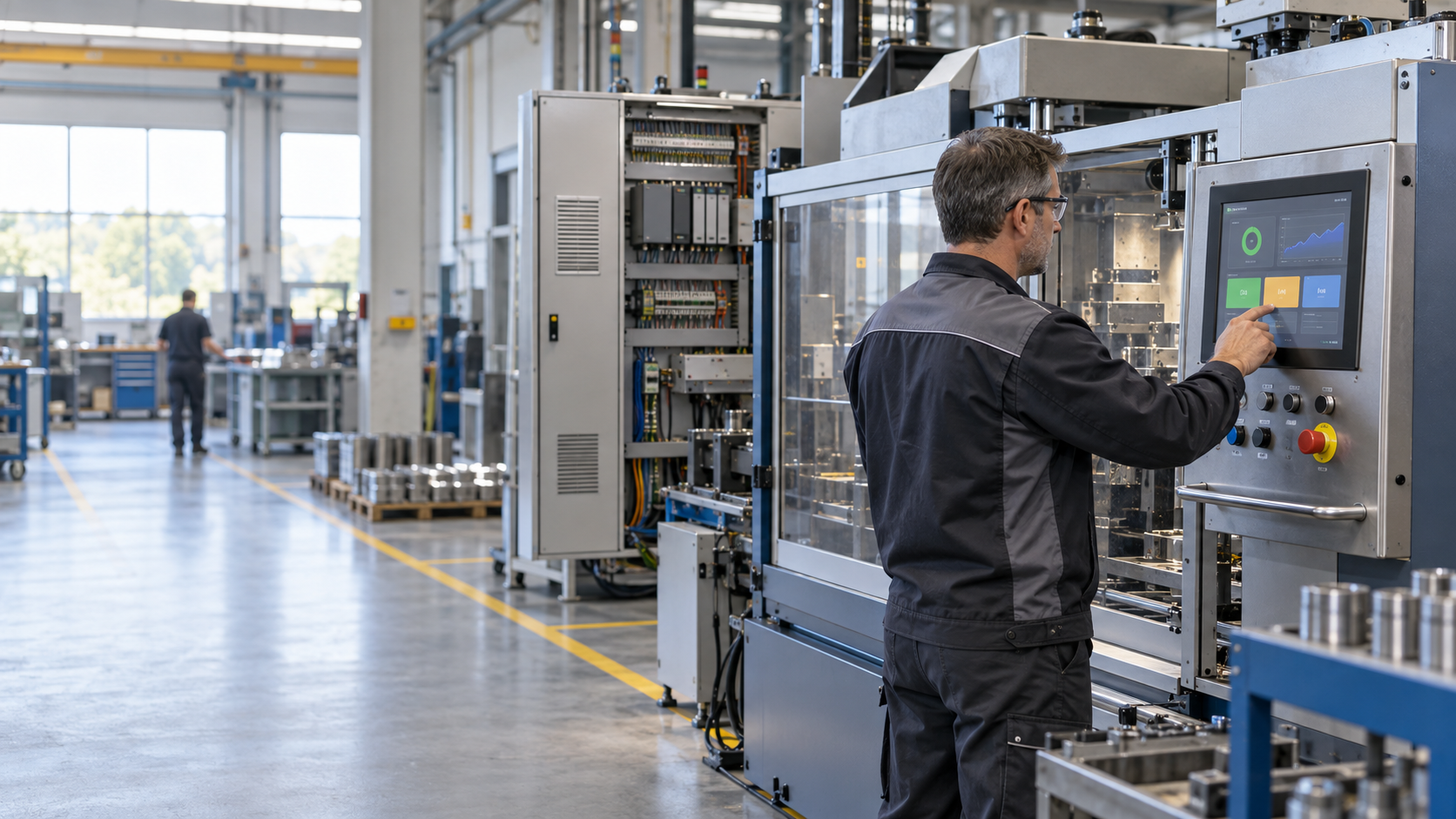
- IHM (interface homme-machine) : Lorsque l'écran est le contrôleur principal d'une machine spécifique.
- Kiosques extérieurs : Lorsque l'espace est limité et que le câblage externe doit être réduit au minimum pour éviter les actes de vandalisme ou les dommages causés par les intempéries.
- Alimentation et boissons : L'utilisation d'un Beyond Info System Série acier inoxydable pour répondre aux normes d'hygiène.
- Collecte de données sur les bords : Lorsque l'unité doit traiter localement les données des capteurs IoT avant de les envoyer vers le nuage.
Quand choisir un écran tactile
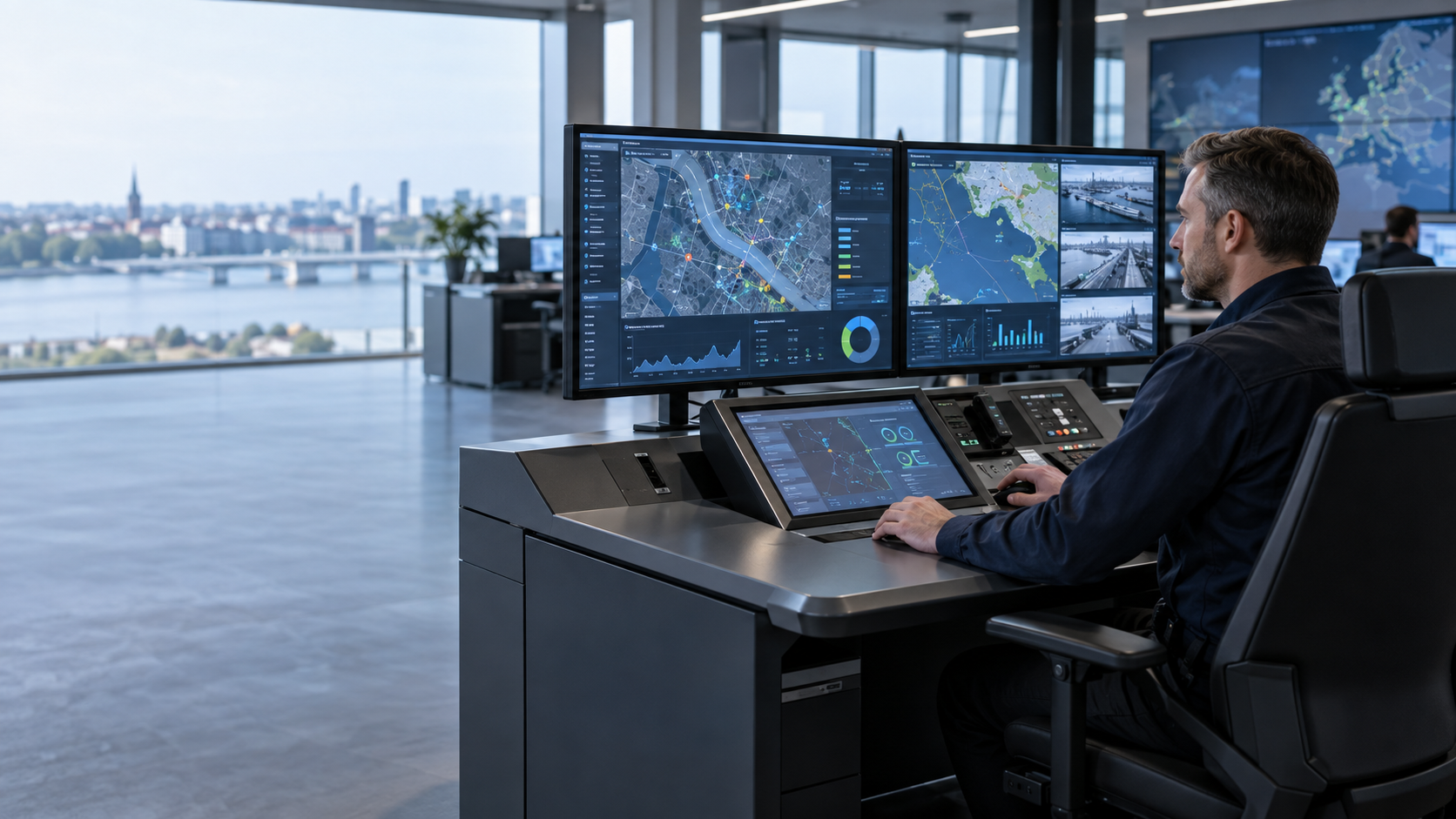
- Salles de contrôle : Lorsqu'un serveur central puissant pilote plusieurs écrans distants.
- Améliorations de l'héritage : Lorsque vous disposez déjà d'un PC industriel fonctionnel mais que vous avez besoin d'une interface tactile moderne et réactive.
- Point de vente (POS) : L'ordinateur est caché sous un comptoir et seul l'écran est visible par le client.
- Calcul à haute performance : Lorsque l'application nécessite un GPU ou un CPU trop puissant pour être refroidi efficacement dans un châssis Panel PC mince.
Foire aux questions (FAQ)
Q1 : Puis-je utiliser un moniteur grand public ordinaire dans un environnement industriel ?
Non. Les moniteurs grand public ne disposent pas de la gestion thermique, de la résistance aux vibrations et de la disponibilité à long terme des composants (7 à 10 ans) nécessaires à l'industrie. Ils n'ont généralement pas non plus de cadre frontal classé IP, ce qui signifie qu'une simple éclaboussure d'eau pourrait court-circuiter le système.
Q2 : Quelle est la distance maximale entre un écran tactile et un PC ?
Les câbles HDMI/USB standard commencent à perdre l'intégrité du signal après 5 mètres. Pour des distances plus longues, vous aurez besoin de prolongateurs actifs coûteux ou de solutions “KVM sur IP”. Dans ces cas, l'installation d'un Panel PC avec une connexion LAN est souvent plus fiable et plus rentable.
Q3 : Les écrans tactiles capacitifs (PCAP) ou résistifs sont-ils meilleurs ?
- PCAP (Capacitif projeté) : Prend en charge le multi-touch (comme un smartphone) et est très durable. Idéal pour une interface utilisateur moderne.
- Résistive : Fonctionne avec n'importe quel type de gant et est immunisé contre les interférences électromagnétiques. Idéal pour les environnements industriels lourds où les opérateurs portent des gants de sécurité épais.
Beyond Info System : Votre partenaire en informatique industrielle
À propos de Beyond Info System
Au-delà du système d'information est un fabricant de premier plan spécialisé dans les solutions informatiques industrielles robustes. S'appuyant sur des années d'expertise sur le marché mondial OEM/ODM, nous fournissons du matériel de haute performance adapté aux secteurs industriels européens et américains. Notre philosophie est simple : La fiabilité avant tout.
Lignes de produits en vedette
- Moniteurs tactiles industriels: Disponibles de 7 à 21,5 pouces, ils sont dotés d'une haute luminosité (jusqu'à 1000 nits) pour une meilleure lisibilité en plein soleil et de boîtiers en aluminium robustes.
- PC à panneaux robustes : Disponible de 7” à 21,5”, étanchéité IP65 en surface, structure de panneau frontal vraiment plat.
- Châssis Série de montage VESA: Alliage d'aluminium moulé sous pression pour des performances thermiques supérieures dans l'automatisation.
- Série SS: Entièrement en acier inoxydable 304/316L avec protection IP66/IP69K pour la sécurité alimentaire et chimique.
- Solutions personnalisées : Nous proposons des configurations flexibles comprenant des entrées d'alimentation à large tension (9-36V DC), un montage spécialisé et des BIOS de marque pour nos partenaires OEM.
Nous contacter Aujourd'hui
Optimisez votre flux de travail industriel avec la bonne technologie d'affichage. Visitez notre site web pour découvrir notre catalogue complet ou téléchargez nos derniers livres blancs techniques.
Consultation d'experts : Contactez notre équipe d'ingénieurs commerciaux pour obtenir un devis personnalisé adapté aux exigences spécifiques de votre projet.