In the era of Industry 4.0, the Industrial PC (IPC) serves as the central brain of the automated production line. However, many enterprises continue to operate with “over-aged” equipment to save on short-term budgets. Statistics show that the cost of unplanned downtime is significantly higher than the investment in equipment upgrades.
Why the “Service Life” of Your Industrial PC Matters More Than You Think
In many traditional factories, the philosophy of “if it isn’t broken, don’t fix it” is seen as a cost-saving measure. However, in industrial computing, equipment obsolescence leads to a hidden surge in operational costs.
Analyzing TCO (Total Cost of Ownership) in Equipment Replacement
Management often focuses solely on the “Initial Procurement Cost (CAPEX)” while ignoring “Operating Expenses (OPEX).” As equipment exceeds a 5–7 year lifecycle, maintenance frequency spikes, and the cost of sourcing obsolete components grows exponentially.
| Evaluation Metric | Legacy Systems (7+ Years) | Modern IPC Upgrade Solution |
| Maintenance Frequency | High (3–4 failures per year) | Extremely Low (3–5 year warranty) |
| Part Availability | Difficult (Relies on second-hand markets) | Easy (Stable global supply chain) |
| Power Efficiency | High (Outdated architecture) | Low (New generation energy-saving CPUs) |
| Downtime Risk | Severe (Unpredictable halts) | Minimal (Predictive maintenance features) |
The Computing Gap in the Industry 4.0 Era
Modern factories now require IoT data collection, Edge AI computing, and cloud integration. Legacy CPUs cannot handle complex machine vision algorithms, causing bottlenecks in defect detection. Older I/O interfaces (like USB 2.0 or legacy LAN) create “information silos” that hinder real-time data flow.
5 Critical Warning Signs Your IPC is Failing
Identifying a crisis before it happens is key. When your equipment exhibits these behaviors, it is at a critical tipping point.
Physical Symptoms of Hardware Aging
Industrial environments are harsh—heat, humidity, and dust take a toll. Over time, capacitors dry out and mechanical hard drives (HDD) wear down.
- Warning Signs: Random reboots, slow boot times, or “Blue Screen of Death” (BSOD) codes like
0x000000F4indicate that storage media or motherboard power delivery is failing.
Software Incompatibility and Cybersecurity Gaps
Many factories still run Windows 7 or even XP. These operating systems have reached End of Life (EOL), meaning no more security patches.
- The Risk: Once connected to the network, legacy systems become prime targets for ransomware. Modern IPCs support TPM 2.0 (Trusted Platform Module), providing hardware-level encryption that old devices simply cannot offer.
Environmental Failure (Fan Noise and Overheating)
If your IPC makes loud grinding noises or the chassis is too hot to touch, the cooling system has failed. Instead of just replacing a fan, upgrading to a Fanless architecture eliminates the risk of dust inhalation and mechanical fan failure entirely.
Key Considerations for Choosing Your Next Industrial System
Upgrading isn’t just about higher specs; it’s about balancing the environment, software, and hardware.
Commercial Desktops vs. Industrial PCs
Commercial PCs lack the durability for factory floors. They fail under vibration and electromagnetic interference (EMI). Industrial PCs are designed for a 15-year availability and 24/7 operation in extreme conditions.
| Feature | Commercial PC | Industrial PC (IPC) |
| Operating Temp | 0°C ~ 35°C | -20°C ~ 70°C (Wide Temp) |
| Protection | None (Dust accumulation) | IP65 / Fanless Sealed Design |
| Expandability | Consumer USB/HDMI | Legacy COM, DIO, GPIO, mPCIe |
| Supply Life | 1–2 Years | 5–15 Years (Long-term Support) |
Hardware Strategy for Edge Computing
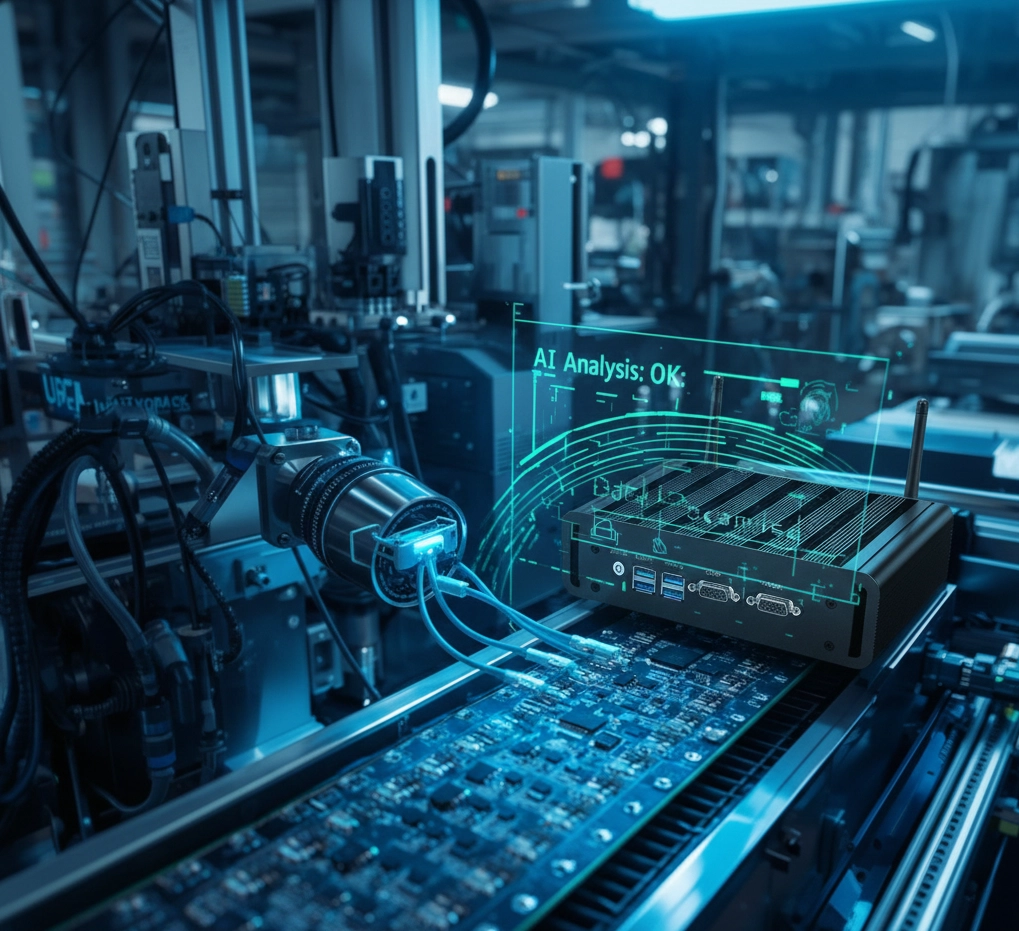
Modern IPCs must analyze data at the edge. For AI inspection, prioritize processors supporting Intel OpenVINO or dedicated NPUs. Additionally, ensure the system supports Wide Range DC Input (9V~36V) with over-voltage protection to handle factory power fluctuations.
The Core of Digital Transformation: 3 Benefits of Modern IPCs
Ultimate Stability and Zero Maintenance Costs
The Fanless design is the biggest trend. In textile or metalworking plants, fine dust kills electronics. Fanless systems use aluminum fins for natural convection, removing the need for air intake and preventing internal short circuits.
Boosting Data Acquisition and AI Efficiency
New IPCs feature multiple independent GbE LAN (with PoE) ports, powering industrial cameras directly and transmitting high-res images without lag. With TSN (Time-Sensitive Networking), robotic arms and sensors sync with microsecond precision, optimizing Overall Equipment Effectiveness (OEE).
From Evaluation to Implementation: Best Practices
System Migration and Software Compatibility
To avoid “new hardware not running old software,” use Virtualization (VM). This allows you to run legacy OS environments on modern, high-performance hardware, retaining compatibility while gaining hardware stability.
Planning for Future Scalability
Choose systems with Modular Design. Features like M.2 slots for 5G modules or Wi-Fi 6 ensure that your system can evolve as your connectivity needs grow over the next decade.
FAQ: Frequently Asked Questions About IPC Upgrades
- Q: How long is the downtime during an upgrade?
- A: By using “Parallel Testing”—configuring the new hardware while the old one still runs—actual switchover downtime can be minimized to 30–60 minutes.
- Q: How do I safely migrate data from an ancient system?
- A: We use Disk Imaging and P2V (Physical-to-Virtual) services to ensure your old applications run identically on the new platform.
- Q: Why is “Long-life Cycle” support important?
- A: Industrial certifications are costly. Choosing models with 10-year availability ensures that future expansions won’t require re-testing or re-designing your entire workflow.
About Beyond Info System (BIS): Your Automation Partner
At Beyond Info System (BIS), we provide “more than just hardware.” Our engineering team understands the rigors of the factory floor, offering one-stop solutions from evaluation to technical support.
Expertise and Technical Support (E-E-A-T)
With years of experience in industrial computing, BIS helps enterprises transition from traditional manufacturing to smart factories with high-reliability computing solutions.
Featured BIS Products
Explore our high-performance lineup as below,
- Fanless Embedded PC Series: Engineered for extreme temperatures and dust.
- Industrial Panel PCs: Rugged HMI solutions with superior EMI protection.
- High-Performance Edge AI Servers: Built for heavy-duty machine vision and big data.
[Contact Beyond Info System Today for a Free System Assessment]