In modern manufacturing environments, industrial touch computers have evolved far beyond simple display devices. They now function as critical operational interfaces that connect machines, systems, and human operators. From production line control to quality inspection and hygienic manufacturing environments, industrial touch computers play a decisive role in ensuring stability, efficiency, and long-term reliability.
This article explores five key applications of industrial touch computers in manufacturing, highlighting real-world requirements, technical considerations, and how manufacturers select the right solutions for long-term deployment.
1. Production Line Automation and Machine Control
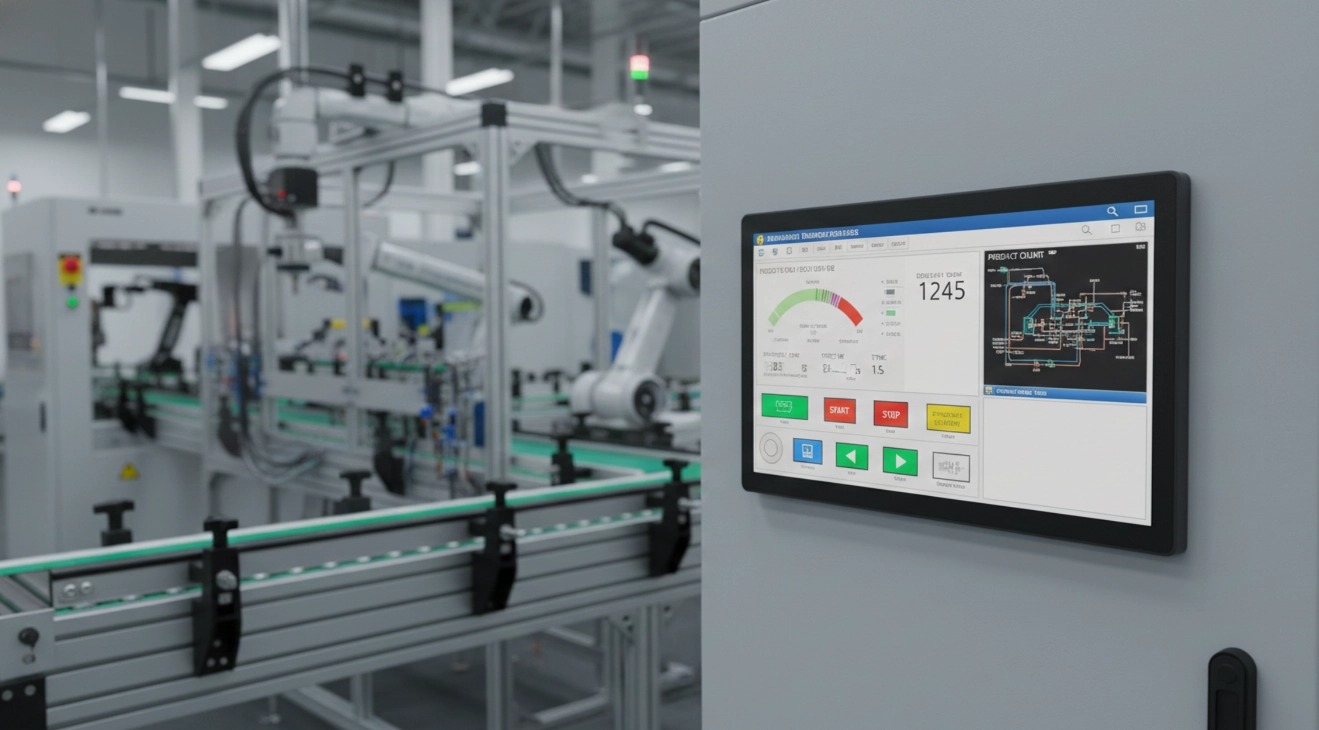
Production line automation remains the most fundamental and widespread application of industrial touch computers. In this scenario, industrial panel PCs are typically deployed as Human Machine Interfaces (HMI), serving as the primary control and monitoring platform for machinery and automated systems.
The Role of Industrial Touch Computers as HMI
Unlike traditional push-button control panels or separated display-and-controller architectures, industrial touch computers integrate visualization, control, and computing into a single, compact system. This integration provides several operational advantages:
- Intuitive user interfaces that reduce training time
- Real-time visibility into machine status and alarms
- Lower risk of operator error
- Easier integration with MES and SCADA platforms
In high-throughput production environments, HMI stability directly affects line uptime, making reliability a top priority.
Integration with PLC and SCADA Systems
A critical requirement in automated production environments is seamless integration with existing control infrastructure. Industrial touch computers must support communication with:
- PLC platforms (Siemens, Mitsubishi, Omron, etc.)
- SCADA and MES systems
- Mixed legacy and modern automation equipment
Typical hardware and interface requirements include:
| Category | Practical Requirement |
|---|---|
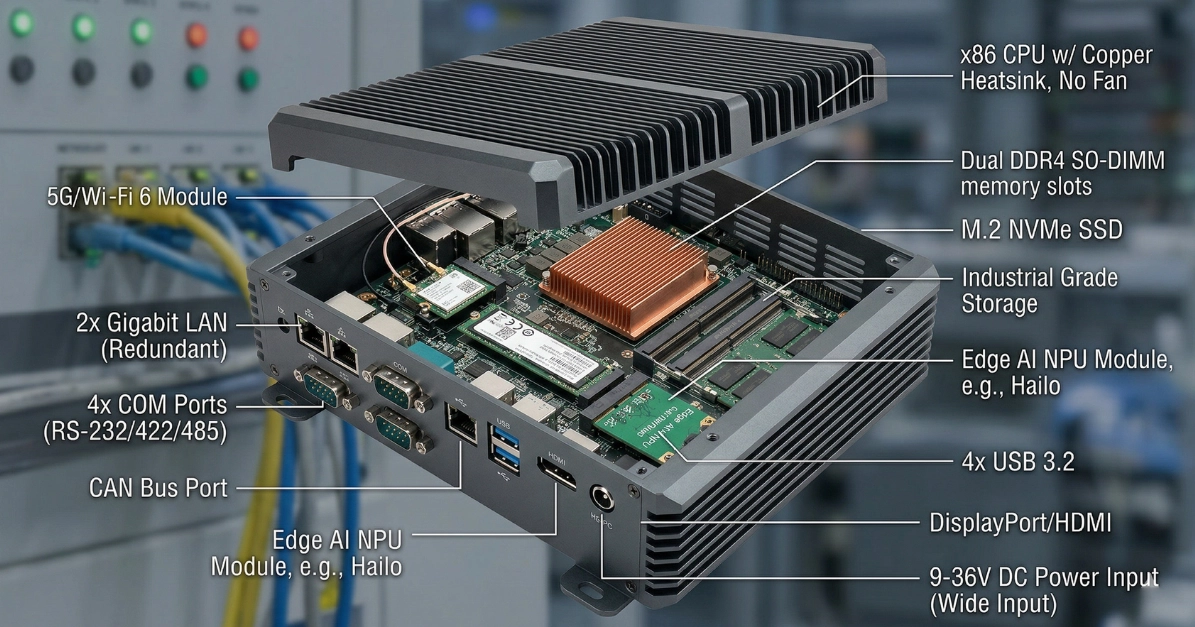
| Communication Interfaces | Ethernet, RS-232, RS-485, CAN |
| I/O Expansion | USB, GPIO, DI/DO |
| Operating System | Windows or Linux (project dependent) |
| Software Compatibility | HMI and SCADA platforms |
For system integrators, stable drivers and interface availability often outweigh raw computing performance.
Stability and Long-Term Operation Requirements
Production equipment is expected to operate 24/7, often under harsh conditions. This creates a clear distinction between industrial and commercial-grade systems.
Key design requirements include:
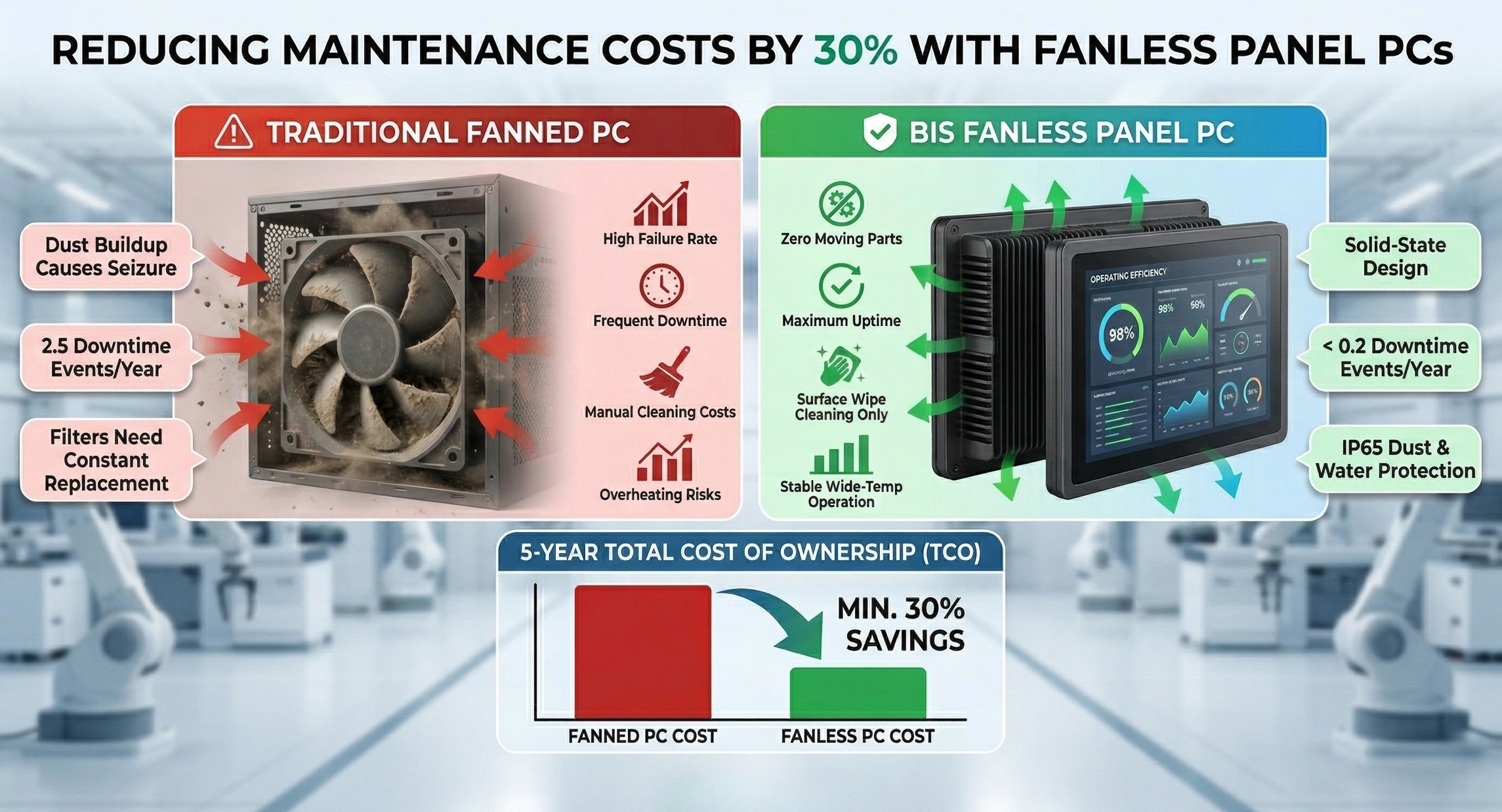
- Fanless cooling to reduce dust ingress and mechanical failure
- Industrial-grade components with long availability cycles
- Wide temperature operation
- Front-panel IP65 protection against dust and liquids
| Feature | Industrial Touch Computer | Commercial Touch PC |
|---|---|---|
| Design Purpose | Continuous 24/7 operation | Intermittent use |
| Cooling | Fanless | Active fan |
| Product Lifecycle | 5–10 years | 2–3 years |
| Environmental Tolerance | Dust, vibration, heat | Office environment |
For manufacturing, avoiding downtime is always more important than maximizing specifications.
2. Process Monitoring and Data Visualization (MES & SCADA)
As manufacturers embrace digital transformation, the focus has shifted from simple machine operation to process transparency and real-time data-driven decision making. Industrial touch computers serve as the front-end visualization platform for MES and SCADA systems.
Real-Time KPI and Process Visualization
Industrial touch computers display critical production data directly on the factory floor, enabling faster response and improved operational control. Commonly visualized metrics include:
- Overall Equipment Effectiveness (OEE)
- Yield and defect rates
- Machine status and alarms
- Cycle times and downtime analysis
This immediate visibility allows supervisors and engineers to detect anomalies early and intervene before issues escalate.
Display Performance in Industrial Environments
Process monitoring terminals are often installed near production lines or in semi-outdoor environments, where visibility is essential.
Key display requirements include:
- High brightness for strong ambient lighting
- Stable image quality during prolonged operation
- Wide viewing angles for group visibility
- Continuous 24/7 display performance
| Display Factor | Manufacturing Requirement |
|---|---|
| Brightness | Indoor high-light / semi-outdoor |
| Stability | No flicker or burn-in |
| Resolution | Support dashboards and charts |
| Touch Response | Fast and accurate |
The priority is not visual aesthetics, but clarity, consistency, and reliability.
Scalability for Smart Manufacturing
MES and monitoring systems evolve over time. Industrial touch computers must support long-term expansion and integration, including:
- IoT and edge computing architectures
- Upgradable CPU, memory, and storage
- Long-term operating system support
- Compatibility with ERP and analytics platforms
| Evaluation Area | Why It Matters |
|---|---|
| Expandability | Avoids repeated hardware investment |
| Software Support | Ensures long system lifespan |
| Hardware Flexibility | Adapts to process changes |
| Product Longevity | Fits long manufacturing cycles |
Choosing industrial hardware is ultimately a long-term strategic decision, not a short-term purchase.
3. Quality Inspection and AOI Systems
In precision manufacturing, visibility and accuracy directly affect yield and brand reputation. Industrial touch computers are central to AOI and vision-based inspection systems, acting as the primary display and control interface.
Importance of High-Resolution Displays
Quality inspection relies heavily on image detail. Industrial touch computers must accurately render high-resolution images for defect detection, including:
- PCB solder joint inspection
- Component alignment verification
- Surface defect detection on metal or glass
- Dimensional and tolerance analysis
| Display Requirement | Inspection Value |
|---|---|
| Full HD / 4K Resolution | Detect fine defects |
| Color Stability | Prevent misinterpretation |
| Multi-window Support | Parallel inspection views |
| Continuous Operation | Supports nonstop inspection |
For quality teams, poor image clarity equals unreliable inspection results.
Compatibility with Vision Systems and Cameras
AOI systems integrate multiple components, including industrial cameras, frame grabbers, and AI-based algorithms. Industrial touch computers must provide:
- Stable CPU and memory performance
- Sufficient I/O interfaces (USB, LAN, display outputs)
- GPU or acceleration support when required
- Long-term OS and driver availability
| System Aspect | Inspection Requirement |
|---|---|
| Computing Performance | Real-time image processing |
| I/O Stability | Prevents data loss |
| System Compatibility | Reduces integration risk |
| Long-Term Supply | Supports mass production |
Stability consistently outweighs peak performance in inspection environments.
EMI Resistance and Touch Accuracy
Inspection systems often operate in electrically noisy environments. Industrial touch computers must be designed to withstand interference while maintaining precise touch control.
Key design considerations include:
- EMI and ESD protection
- Accurate touch response, even with gloves
- Robust mechanical design
- Front-panel protection against dust and oil
In quality control, even a single misjudgment can translate into significant cost.
4. Warehouse, Logistics, and Material Management
Internal logistics plays a critical role in manufacturing efficiency. Industrial touch computers act as front-end terminals for WMS and intralogistics systems, supporting real-time data entry and material tracking.
Operational Role in Warehouse Environments
Industrial touch computers are commonly deployed at:
- Receiving and inbound stations
- Picking and packing areas
- Shipping verification points
- Line-side material replenishment zones
They support tasks such as inventory confirmation, batch tracking, work order matching, and real-time stock updates.
Peripheral Integration and I/O Flexibility
Warehouse applications rely heavily on peripherals. Industrial touch computers must support seamless integration with:
- Barcode scanners
- RFID readers
- Label printers
- Weighing scales and sensors
| Interface | Typical Application |
|---|---|
| USB | Scanners and printers |
| RS-232 / RS-485 | Industrial scales |
| LAN | ERP and WMS connectivity |
| GPIO | Trigger signals and indicators |
Integration flexibility is often more important than raw processing power.
Durability and Installation Flexibility
Warehouse environments involve vibration, dust, and frequent handling. Industrial touch computers must offer:
- Metal chassis for impact resistance
- Fanless designs to reduce dust intake
- Multiple mounting options
- Long-term availability for extended projects
Operational improvements often come from reducing errors, not simply speeding up tasks.
5. Special Manufacturing Environments: Food, Pharmaceutical, and Chemical Industries
In regulated manufacturing environments, compliance and hygiene take precedence over performance metrics. Industrial touch computers must meet stringent environmental and regulatory standards.
Stainless Steel Design for Hygienic Manufacturing
Food and pharmaceutical facilities require frequent washdown and chemical cleaning. Stainless steel panel PCs provide:
- Corrosion resistance
- Smooth surfaces that reduce bacterial buildup
- Compatibility with high-frequency cleaning
- Compliance with hygiene regulations
| Material | Typical Application |
|---|---|
| SUS304 | Food processing, general pharma |
| SUS316 | High-salinity or chemical exposure |
High Protection Ratings (IP65 / IP69K)
Washdown environments require robust sealing to prevent water ingress.
| Protection Level | Application |
|---|---|
| IP65 | Standard food manufacturing |
| IP69K | High-pressure washdown |
| Fully Sealed Design | Liquid and contaminant protection |
Insufficient protection leads not to maintenance issues, but production downtime.
Fanless and Sealed Architecture Advantages
Fanless designs eliminate airflow-related contamination risks while improving reliability. Key benefits include:
- Reduced dust and bacteria ingress
- Lower maintenance requirements
- Improved long-term stability
In hygienic environments, mechanical design often matters more than performance figures.
6. FAQ: Common Questions About Industrial Touch Computers
How do industrial touch computers differ from commercial touch PCs?
Industrial systems are designed for continuous operation, harsh environments, and long product lifecycles, whereas commercial systems prioritize cost and short-term performance.
What should manufacturers consider when selecting an industrial panel PC?
Key factors include environmental conditions, mounting requirements, I/O needs, software compatibility, and expected project lifespan.
Are industrial touch computers customizable?
Yes. Common customization options include CPU, memory, storage, I/O interfaces, operating systems, display characteristics, and enclosure design.
Customization is often a baseline requirement for OEM and system integrator projects, not an added feature.
7. About Beyond Info System
Beyond Info System (BIS) is a Taiwan-based manufacturer specializing in industrial computers and embedded systems. BIS focuses on delivering long-term, application-ready industrial solutions rather than short-term product sales.
Product Solutions for Manufacturing
| Product Type | Typical Applications |
|---|---|
| Industrial Panel PC | HMI, MES, production lines |
| Industrial Touch Display | Process visualization |
| Stainless Steel Panel PC | Food and pharmaceutical plants |
| Embedded Box PC | AOI and machine control |
| Rugged Systems | Logistics and harsh environments |
Why Manufacturers Choose BIS
- High customization flexibility
- Low MOQ suitable for project-based deployments
- Long-term supply commitment
- Taiwan-based manufacturing and direct communication
- Extensive experience supporting European system integrators
Selecting an industrial touch computer supplier ultimately means choosing a long-term manufacturing partner, not just a hardware vendor.