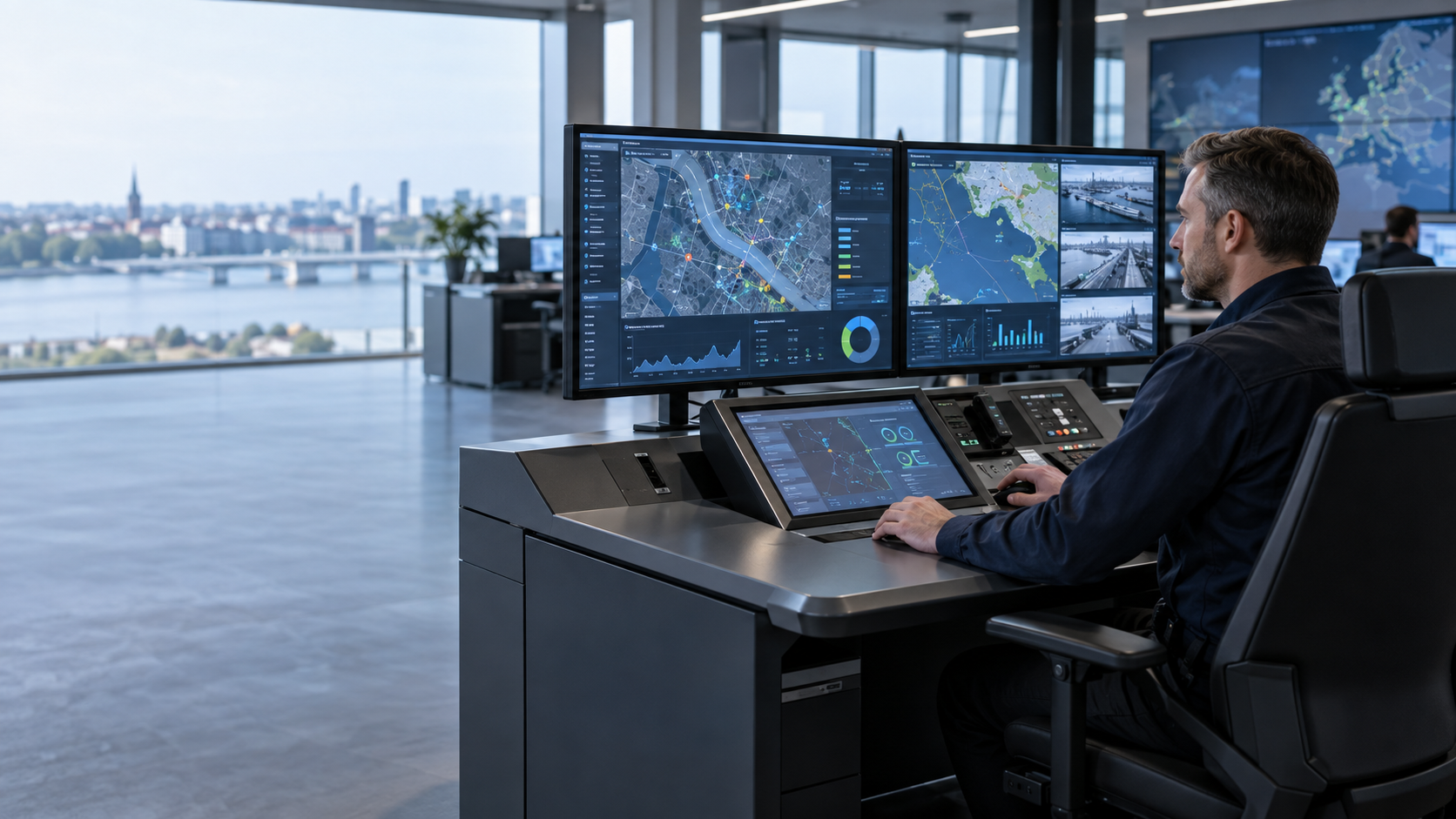
Designing a multi-screen command centre requires more than adding displays. System integrators must coordinate operator workflows, Industrial Touch Panel PCs, host computers, KVM switching, display controllers, I/O, mounting and lifecycle requirements.
A well-designed command centre operator station should help users access, verify and manage information consistently while giving engineering and service teams a clearly documented system architecture.
This guide explains how to evaluate an Industrial Touch Panel PC as part of a multi-screen command centre, from operator workflow and display architecture to environmental requirements, OEM/ODM configuration, validation and lifecycle planning.
Start With the Command Centre Operator Workflow
A tactical command centre operator station may bring together maps, equipment status, communications and task records. More displays increase the amount of visible information, but they do not automatically make that information easier to interpret.
If views have no defined purpose, operators may still need to switch focus, compare sources and explain the arrangement during a handover. System integrators should therefore establish how each operator role receives, verifies, shares and records information before deciding how many screens the workflow needs.
An Industrial Touch Panel PC can provide a local Human-Machine Interface (HMI) or a defined touch workflow. However, a complete multi-screen operator station may also include host computers, graphics outputs, a KVM switch, a display controller and separate monitors.
The procurement brief should describe this architecture and define each component’s responsibility rather than assuming that one Industrial Panel PC will drive every display.
Three Challenges in Multi-Screen Command Centre Coordination
1. Information Priority
Determine which information must remain continuously visible and which views should appear only when an event requires them.
If display roles are unclear, critical information may compete with duplicated or lower-priority content. Each screen should therefore have a defined purpose based on the operator’s role and workflow.
2. Input and Source Switching
Touch, keyboard input, user accounts and host selection can behave differently across systems. Operators need predictable control rules, particularly when working under time pressure.
The design team should evaluate touch input, physical controls and KVM switching against actual operating tasks rather than selecting an input method in isolation.
3. Installation and Operating Environment
A desk, rack or custom console may provide limited space for cooling, power distribution, cable exits and service access.
Temperature, vibration, electromagnetic conditions and access controls may also vary by deployment. The term “rugged” alone does not establish a rating or compliance for a specific environment. Any required environmental or compliance evidence should be verified for the selected model and configuration.
Multi-Screen Display Architecture and KVM Integration
Create an information map before selecting hardware. Record each data source, application, operator role, display area, control input and switching rule.
Determine whether the required views will be generated by one host computer or several independent systems. If the project requires a shared cursor, network separation or continued access to selected functions during an interruption, these requirements should form part of the architecture rather than being treated as late integration changes.
An Industrial Panel PC can serve as a local HMI or workstation node. Its ability to drive multiple displays depends on the selected model’s graphics capability, available ports, supported resolutions and configuration.
If the command centre requires graphics-intensive applications, cross-host window management or centralised screen composition, evaluate the Industrial Touch Panel PC alongside the host computer, KVM or display controller.
Document which component owns each control function and define how the system should respond if that component becomes unavailable.
A stable screen layout should also preserve the meaning of each display when operators change shifts or move between routine and exception handling. Define which views remain fixed, how alerts attract attention and what information remains available when a source is unavailable.
Where several operator stations share a common operating picture, document whether the display layout is identical across stations or adapted according to operator role. These decisions are part of the application and human-factors design and should be reviewed with the people who will operate and maintain the console.
How to Select an Industrial Touch Panel PC for a Command Centre
Start with operator interaction.
Is touch the primary input method? Will operators wear gloves? Are physical keys still required? What viewing angle, text size, reflection and ambient lighting conditions will users encounter during a full shift?
Touch technology, display brightness and panel size are product configuration questions. They should be evaluated against the actual console position and the specifications of the selected model.
Next, create an interface and software schedule covering:
- Peripheral devices and interfaces
- Communication protocols
- Data direction
- Driver requirements
- Operating-system versions
- Expected behaviour after disconnection
Having a sufficient number of ports does not by itself establish application compatibility. The complete hardware and software configuration should be checked against the intended application.
Environmental, I/O and Mounting Requirements
Panel Mount, VESA Mount or console-integrated installation requires more than confirming the display size.
Engineering teams should check dimensions, fixing points, cable bend radius, thermal conditions and service access for the intended installation.
Where protection, operating temperature, vibration or electromagnetic requirements form part of the project specification, verify the relevant evidence against the exact Industrial Panel PC model and configuration.
This distinction is particularly important for projects that specify CE, IEC, EN, MIL-STD or other standards. Compliance should not be inferred from a general product category or from the use of terms such as “industrial”, “rugged” or “military-grade”. Review the applicable documentation and its scope for the selected configuration.
Security and Serviceability for Command Centre Operator Stations
A multi-screen command centre station can include hosts, displays, cables, adapters and multiple input devices. An equipment register, port map and replacement procedure can help engineering and service teams locate faults and understand the installed configuration.
Security planning should follow the programme’s system policy and may cover:
- Boot settings
- User and account permissions
- Update sources
- Network zones
- Event logs
- Recovery methods
If TPM, secure boot or another security capability is required, verify it for the exact model, firmware and software version.
Adding an HMI does not make the Industrial Touch Panel PC a safety controller or transfer the authority of an existing controller.
Long deployments also require an agreed approach to availability information, component-change notices, configuration backups, software images, spare parts and repair.
These considerations affect total cost of ownership and should be discussed during procurement rather than only after a service issue occurs.
Command Centre Panel PC Validation and Acceptance
A watch-floor role may keep an area view beside a task record. A logistics role may review equipment status, while a facility role may organise alerts from several sources.
These are planning examples rather than claims about a specific customer installation.
For each use case, identify:
- Data source
- Update method
- Permitted operator actions
- Expected response if a source becomes unavailable
A sample or bench evaluation can be used to check the intended external-display combination, touch sequences, host switching, cable management, peripheral compatibility and replacement procedures.
If the programme requires certificates or test evidence, request documentation applicable to the exact model and configuration and review its scope.
A pre-shipment burn-in or functional check may form part of a supplier process, but it should not be treated as a reliability certification or a guarantee of field performance.
OEM/ODM Industrial Panel PC Customisation
OEM and ODM command centre projects should define key requirements early in the development and procurement process.
Depending on the selected platform and project, discussions may cover processor, memory, storage, I/O, BIOS behaviour, touch method, panel size, mounting, cabling and software images.
Availability, qualification, quantity and schedule must be confirmed for the selected product and project rather than assumed to be standard options.
Each project requirement can be classified as:
- Mandatory
- Optional
- Requiring validation
Connect mandatory requirements to a specification, configuration record, sample evaluation or site acceptance step. This makes supplier proposals easier to compare and can reduce late changes to the console or software.
A useful lifecycle plan should also record the approved bill of materials, firmware and application versions, display assignments, network settings and recovery image.
The plan should identify who is authorised to change the baseline and how updates are reviewed before deployment.
For OEM and ODM programmes, these records can make later configuration changes easier to assess across a family of operator stations. They do not replace model-specific validation, but they provide procurement and service teams with a shared reference when replacement components or software changes are considered.
Assess the Total Cost of Ownership
A multi-screen command centre operator station is a system purchase rather than simply a display purchase.
Total project cost may include:
- Industrial Touch Panel PCs
- Host computers
- Industrial monitors or displays
- Video equipment
- KVM or display-control equipment
- Input devices
- Mounting hardware
- Cabling
- System integration
- Installation
- Training
- Spare parts
- Service and support
Compare the initial hardware price with integration hours, fault isolation, configuration management, software updates and replacement planning.
Standardised interfaces and documented configurations can support service across multiple operator desks or sites. Modular system boundaries may also allow a team to replace a display, input device or compute node without rebuilding the complete console.
The actual benefit depends on the architecture and service plan, so these assumptions should be tested rather than treated as automatic advantages.
The objective is not to maximise the number of screens. It is to make operator tasks predictable and maintenance traceable.
Clear display roles, consistent input behaviour and documented recovery procedures give engineering and procurement teams a better basis for comparing lifecycle costs. An Industrial Touch Panel PC contributes when its defined role and verified connections fit the overall command centre architecture.
Procurement Checklist for an Industrial Touch Panel PC
Before requesting a quotation, prepare a concise project pack that includes:
- Console drawing or screen plan
- Purpose of each display
- Host and peripheral list
- Operating-system requirements
- Application requirements
- Connection protocols
- I/O requirements
- Mounting constraints
- Operating environment
- Network boundaries
- User roles
- Expected behaviour during source or power interruption
- Lifecycle and service requirements
Ask suppliers to respond directly against these requirements.
For every proposed Industrial Panel PC, identify the exact model and options, graphics outputs, touch configuration, interfaces, mounting details, relevant environmental evidence and availability information.
Mark any items that require testing or confirmation from the application owner.
At acceptance, compare the delivered configuration against the approved baseline, including firmware and software versions, display arrangement, access settings, recovery materials and service documentation.
If the operator station forms part of a wider control environment, confirm that operating procedures and responsibility boundaries match the approved design. Record deviations and assign owners before the station enters service.
This provides a reviewable handover for engineering, procurement and support teams.
Conclusion: Build the Command Centre Around the Workflow
A well-planned multi-screen command centre begins with people, tasks and information.
Once the operator workflow is clear, the engineering team can determine whether an Industrial Touch Panel PC should operate as a local HMI, a workstation node or one component within a wider multi-screen display architecture.
Graphics outputs, I/O, mounting, environmental requirements, security and lifecycle information can then be verified for the selected configuration.
The key is to select hardware according to its defined role within the system rather than choosing a Panel PC based only on screen size, port count or a general “rugged” classification.
Frequently Asked Questions
How do we choose an Industrial Panel PC for a multi-screen command centre?
Map operator roles, display purposes and input methods first. Confirm whether the screens are driven by one host or several independent systems. Then verify graphics outputs, resolutions, I/O, operating-system support, mounting and environmental requirements for the exact model.
If simultaneous multi-display output or host switching is required, include the KVM, display controller and related software in the evaluation.
Can an Industrial Panel PC support multiple displays?
It depends on the selected model’s graphics capability, available video outputs, supported resolutions and configuration. Do not assume that every Industrial Panel PC can drive the complete multi-screen station.
For applications requiring multiple simultaneous displays, confirm the intended display combination against the exact product specification and evaluate whether a separate host, KVM or display controller is required.
What is the role of a KVM in a multi-screen operator station?
A KVM can form part of the input and host-switching architecture where operators need to work with multiple computers or sources.
The required behaviour should be defined according to the actual workflow, including host selection, keyboard and pointing-device control, touch interaction and expected operation if a source becomes unavailable.
Which customisation options can an OEM/ODM project discuss?
Depending on the platform, an OEM/ODM review may cover processor, memory, storage, I/O, BIOS settings, touch and panel size, mounting, cabling and software images.
Availability, qualification, quantity and schedule must be confirmed for the selected product and project. These options should not be assumed to be standard.
What environmental, I/O and mounting requirements should be checked before deployment?
Document the installation temperature, vibration, power, cleaning method, electromagnetic conditions and service access.
List each peripheral interface, protocol, data direction and expected response after disconnection. Check dimensions, fixing points, thermal conditions and cable exits.
If the programme requires CE, IEC, EN, MIL-STD or other evidence, review documentation for the exact model and configuration rather than inferring compliance from the product category.
Does a rugged Industrial Panel PC automatically meet military standards?
No. Terms such as “rugged” or “industrial” do not by themselves establish compliance with a specific military or environmental standard.
If MIL-STD or another standard is required by the programme, request and review the applicable evidence for the exact model and configuration.
Planning a Multi-Screen Command Centre?
Share your screen layout, host and I/O list, mounting constraints, installation details and operating conditions with our engineering and sales teams.
Request the relevant Industrial Touch Panel PC specifications, discuss OEM/ODM configuration requirements or arrange a sample evaluation for your project.
A focused technical review can turn your command centre project brief into a practical validation, procurement and acceptance checklist.